How to Collect Photos from 50+ Guests Without Chasing Everyone

Last Updated: September 16, 2026
Table of Contents
- Why the Follow-Up Always Fails
- Group Chats Bury Everything
- Hashtags Only Work for Public Posts
- “Send Me Your Photos” Doesn’t Work After the Fact
- The Mindset Shift: Collect Before and During, Not After
- Your Before-Event Checklist (Set Up Takes 10 Seconds)
- During the Event: How to Actually Get 50+ People to Upload
- The QR Code Placement Play
- What to Actually Say (The Script)
- The Live Album Trick
- After the Event: Recovering What You Can
- What to Look for in a Photo Collection Tool
- Zero Friction for Guests
- No Compression
- Works Across iPhones and Androids
- The One-Link Workflow in Practice
You’ve just come back from a 60-person birthday party. There were moments you didn’t catch like when you were dancing when someone took the group photo, you were in the bathroom when the cake came out, and so on. You know at least a dozen people had their phones out all night.
So you post in the group chat: “Does anyone have photos from last night? Would love to see them!”
Two people respond. One sends three compressed thumbnails that look like they were captured by a toaster. The other says “I’ll send them later” and never does.
This is the default outcome. Not because your guests are selfish, but because you set up the collection wrong. Here’s how to fix it.
Why the Follow-Up Always Fails
The instinct is to ask people after the event or activity. It never works. Here’s why each standard approach breaks down.
Group Chats Bury Everything
A WhatsApp group that was alive during the event becomes a graveyard of old messages by the time you try to collect photos the next week. Any photo anyone shares gets buried under congratulations, venue tags, drunk voice notes, and reactions. You’d have to scroll through 400 messages to find a dozen images and they’re compressed so aggressively that they won’t be worth printing.
WhatsApp reduces photo file sizes by up to 80% when sent through standard image mode (not everybody clicks HD…). A 4MB photo from a modern iPhone becomes a 700KB smear. The visual difference is immediately obvious at any zoom level.
Hashtags Only Work for Public Posts
“Use #JensBirthday2026 and share your photos!” sounds convenient. It works for exactly one type of guest: people who are comfortable posting personal photos publicly, who remember to use the hashtag, who spell it correctly, and who aren’t using a private account.
In practice, that’s about 15% of your group. Everyone else either forgets, doesn’t want to post publicly, uses Stories instead (which disappear in 24 hours), or just doesn’t bother. You’re left hunting across platforms for posts that may not even be there.
“Send Me Your Photos” Doesn’t Work After the Fact
The request feels easy in the moment: “Just send me your photos!” But from the guest’s perspective, after the event is over and they’re back to normal life, digging through their camera roll, selecting 40 photos, and sending them individually to someone requires real effort. The motivation isn’t there anymore. The longer you wait to ask, the lower the response rate.
The Mindset Shift: Collect Before and During, Not After
The only way to collect photos from 50+ people reliably is to make it effortless and timely. That means setting up the collection point before the event, promoting it during the event when people are already on their phones taking pictures, and doing zero follow-up after.
The target is a world where guests upload photos in real time as the event is happening or soon after because it’s easier to do it then than to think about it later. Your job is to remove every possible barrier between “I just took a great shot” and “it’s in the album.”
Your Before-Event Checklist (Set Up Takes 10 Seconds)
Do this before anyone arrives:
1. Create your shared album. Use a platform that lets guests upload from a browser without installing an app. With ShareThePic, you create a free album in about 10 seconds. You get a unique link and a QR code automatically.
2. Share the link in pre-event communications. Drop the link in the invitation, the event reminder, or the group chat the day before. Guests who see it early will know where to go. Some will even start uploading photos from earlier in the day.
3. Print the QR code. Download the QR code and print it at a size people can scan easily (at least 10cm square). Print multiple copies.
4. Plan your QR code placements. Identify 3-5 spots where people naturally stop and look at their phones: the bar, the entrance, the table cards, the bathroom mirror, next to the DJ booth.
That’s the setup. One link. One QR code. One minute of prep.
During the Event: How to Actually Get 50+ People to Upload
Setting up the album is the easy part. Getting people to use it requires a small amount of visible promotion during the event itself.
The QR Code Placement Play
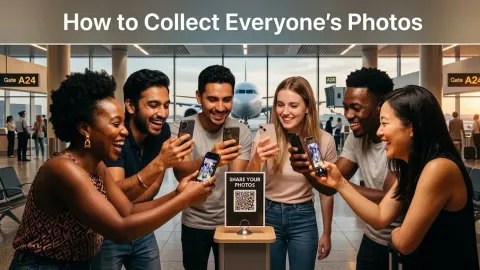
A QR code no one notices does nothing. Place it where people’s phones are already out:
- The bar: People wait, they look at their phones. A small card with the QR code and the words “Share your photos from tonight” will get scanned.
- Table cards: Every table setting is prime real estate. If you’re printing a menu, add the QR code to the back.
- The entrance: The first thing people do when they arrive is take out their phone to check in or take a photo. A QR code at the entrance captures them before they get distracted.
- The bathroom: Sounds odd, it works. People are alone, they have time, they’re not mid-conversation.
You don’t need professional printing. A sheet of A4 with the QR code at 50% size, clear text, and a simple instruction (“Scan to add your photos to tonight’s album”) is enough.
What to Actually Say (The Script)
You don’t need a long speech. If you have a host or DJ, ask them to say one thing:
“Quick announcement - we’ve got a shared photo album for tonight. Scan the QR code on your table or ask [name] for the link. Upload your best shots directly from your phone - no app needed. Every photo goes into the album we’ll all be able to download from tomorrow.”
Thirty seconds. That’s all it takes. The key words are “no app needed” and “we’ll all be able to download.” People are more likely to contribute if they get something back.
The Live Album Trick
If your venue has a screen or TV, connect a laptop and display the album in real time as photos come in. This creates an immediate feedback loop: a guest uploads a photo, sees it appear on the screen 30 seconds later, and immediately wants to upload more. Other guests see it too and start scanning the QR code themselves.
It’s a simple setup. Just keep the album page open on a browser in full-screen mode. No special software required.
After the Event: Recovering What You Can
If you didn’t set up the album in advance, you’re in recovery mode. The response rate drops significantly once the event is over, but here’s how to maximize what you get:
-
Send the album link immediately. Create the album now and share it in the group chat while the event is still fresh, ideally within 12 hours. The longer you wait, the lower the rate.
-
Be specific about what you want. Instead of “share your photos,” say: “I’m putting together a full album from last night. There’s a shared link in the description, it takes 2 minutes to upload and everyone can download everything after. Would love to have your shots in there.”
-
Follow up once, not repeatedly. One follow-up message to the group, three to four days after the event, is the outer limit. Beyond that, you’re annoying people for photos they clearly don’t intend to share. Accept the 30-40% and move on.
-
Ask for the highlights, not everything. “Could you send me your 5 favorite shots from last night?” is much easier to say yes to than “Can you send me all your photos?” People are reluctant to curate; they’re even more reluctant to dump 400 unedited shots on someone.
What to Look for in a Photo Collection Tool
Not all shared albums work the same way. Here’s what matters when 50+ people are contributing from different devices:
Zero Friction for Guests
Every additional step between “I want to share a photo” and “the photo is shared” loses you participants. The minimum viable friction is: click a link, pick photos, upload. No account creation, no password, no app download for the basic upload flow. The moment you ask guests to do something unfamiliar, a percentage of them will stop.
No Compression
Most messaging apps and some photo platforms compress images on upload to save bandwidth. That defeats the entire point. If a guest uploads a 12-megapixel photo from a recent iPhone and it arrives as a 1-megapixel JPEG, you’ve gained nothing. Look explicitly for platforms that store and serve originals.
Works Across iPhones and Androids
In a group of 50+, you will have both. Whatever tool you choose needs to work equally well in Safari on iOS and Chrome on Android, without any platform-specific workarounds. This eliminates iCloud Shared Albums (Android users can view but not contribute without an Apple ID) and anything that requires a specific operating system.
The One-Link Workflow in Practice
Here’s what the whole system looks like when it works:
- You create a ShareThePic album before the event. You get a link and a QR code.
- You drop the link in the event group chat with a note and pin it: “This is where we’re collecting photos. Upload any time, even during.”
- You print the QR code and put it on table cards and at the bar.
- During the event, guests scan and upload in real time. Photos land in the album at original resolution, sorted automatically by when they were taken.
- After the event, you share the final album link with the group. Everyone can download the full collection even as a zip file. No account required to download.
No follow-up texts. No “did you send those?” messages three weeks later. No 300KB compressed thumbnails that look like they were taken in 2009.
Create your free shared photo album before your next event and share the link in the group chat. You’ll never chase anyone for photos again.
Frequently Asked Questions
How can I collect photos from all guests after an event?
How can I collect photos from all guests after an event?
The most effective method is a browser-based photo sharing platform, where guests scan a QR code or click a link and upload directly from their phone's browser, with no app download or account required. Set it up before the event, display the QR code visibly during the event, and collect everything in one place automatically.
What is the best way to collect photos from guests without requiring them to download an app?
What is the best way to collect photos from guests without requiring them to download an app?
Use a web-based collaborative album tool like ShareThePic, which allows guests to upload photos directly from their mobile browser via a shared link or QR code. No installation, no account creation, and no compression (originals are preserved at full resolution).
Why does asking guests to share photos in a WhatsApp group not work?
Why does asking guests to share photos in a WhatsApp group not work?
WhatsApp compresses photos by up to 80%, ruining quality for printing or archiving. Photos also get buried under messages and reactions, making them difficult to find and download. There's no organized album, and you end up chasing people for individual files anyway.
Do guests need to create an account to upload photos to a shared album?
Do guests need to create an account to upload photos to a shared album?
With ShareThePic, guests do not need to download anything, but they do need a free account (Google sign-in or email) to contribute photos. The organizer creates the album in seconds, shares the link, and guests can upload from any browser on any device.
How do I get more guests to actually upload their photos?
How do I get more guests to actually upload their photos?
Set up the album before the event and share the link in your pre-event communications. During the event, place the QR code in multiple visible spots (tables, bar, entrance). Have the host or DJ mention it once. If your venue has a screen, display incoming photos live, as seeing their photo appear on the big screen gets people uploading immediately.