The Ultimate Guide to Gathering Group Photos After Any Event

Last Updated: September 15, 2026
Table of Contents
- What Is the Easiest Way to Share Group Photos Online?
- Why Traditional Event Photo Sharing Fails
- Messaging App Compression Ruins Memories
- App Download & Sign-up Walls Drop Participation
- Social Media Hashtags Overlook Privacy
- The 5-Step Blueprint to Collect Group Photos From Any Event
- Step 1: Create a Central Group Photo Sharing Link Before the Event
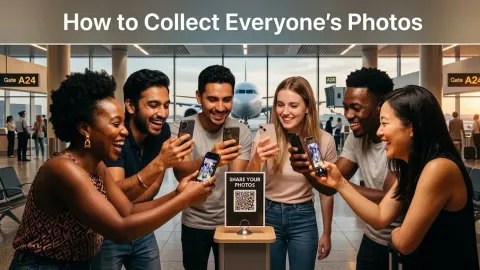
- Step 2: Display QR Codes Where Guests Naturally Pause
- Step 3: Spark Real-Time Uploads During the Event
- Step 4: Send One Post-Event Wrap-Up Link
- Step 5: Export Full-Resolution Originals in One Click
- Comparing Event Group Photo Collection Tools
- How to Gather Event Photos Effortlessly with ShareThePic
Whether you just hosted a 150-guest wedding, organized a weekend bachelorette party, or led a corporate retreat, one universal headache awaits you when the event ends: gathering the photos.
You know your guests took hundreds of candid, unforgettable shots. But two weeks later, you’re still stuck texting individual group chats, receiving blurry WhatsApp thumbnails, and begging friends to send Google Drive links.
It doesn’t have to be this way.
Gathering group photos after an event is a solved problem, provided you follow the right framework. This guide covers why traditional sharing methods fail and delivers a complete 5-step blueprint for effortless group photo sharing for any event.
What Is the Easiest Way to Share Group Photos Online?
If you want maximum participation from your guests, the golden rule of group photo collection is simple: eliminate guest friction.
The easiest way to share group photos online is through a browser-native group photo sharing link or QR code.
When guests scan a QR code or tap a shared link:
- Their phone opens a web page instantly in Safari, Chrome, or Samsung Internet.
- They select photos directly from their camera roll.
- They tap upload.
No app store downloads. No 8-character password requirements. No email verification loops. By removing the app barrier, guest participation jumps from 15% to over 80%.
Why Traditional Event Photo Sharing Fails
Before setting up your next event, it helps to understand why conventional sharing channels break down.
Messaging App Compression Ruins Memories
Messaging platforms like WhatsApp, Telegram, or SMS are designed for quick chat, not photo archiving.
When guests send photos through group chats:
- Images are compressed by up to 80%, destroying sharp detail and color depth.
- EXIF metadata (capture time and location) is stripped, scrambling your album’s chronological timeline.
- Photos get buried beneath hundreds of text messages and memes.
App Download & Sign-up Walls Drop Participation
Asking guests to download a dedicated mobile application or create a new account creates immediate resistance. Guests are busy enjoying the party. If they tap a link and see an App Store redirect or a length sign-up form, 8 out of 10 people will close the tab and forget to upload later.
Social Media Hashtags Overlook Privacy
Event hashtags (#SarahAndDavid2026) used to be popular, but they fail for three main reasons:
- Privacy: Many guests have private accounts or don’t want to post personal family photos publicly.
- Platform Decay: Photos posted to Instagram or Snapchat Stories disappear after 24 hours.
- Manual Labor: The organizer must manually screenshot or download individual photos across multiple social networks.
The 5-Step Blueprint to Collect Group Photos From Any Event
Here is the exact playbook top event organizers and brides use to collect hundreds of full-resolution photos without sending a single reminder text.
Step 1: Create a Central Group Photo Sharing Link Before the Event
Don’t wait until the morning after the event to figure out where photos will go. Set up your collection hub 24 to 48 hours before the event starts.
Using a web-native group photo collection tool like ShareThePic, you can create a free shared photo album in 10 seconds. You receive:
- A unique, shareable album link.
- A printable QR code generated automatically.
Step 2: Display QR Codes Where Guests Naturally Pause
During the event, place your album QR code in high-visibility areas where guests naturally take out their phones:
- Table Cards & Menus: Perfect for dinner receptions or banquets.
- The Bar / Drink Stations: Guests queuing for drinks have their phones out and time to spare.
- Welcome Desk / Entrance: Catches guests as they arrive and take initial group selfies.
- Photo Booth / Backdrop: Place a sign next to the backdrop prompting guests to upload their candid shots immediately.
Pro-tip: Add a simple call-to-action above the QR code: “Scan to share your photos to our group album (No app required!)”
Step 3: Spark Real-Time Uploads During the Event
Encourage uploads while the energy is high. Have your DJ, MC, or host make a brief 15-second announcement halfway through the event:
“Quick reminder everyone, we’ve set up a shared album for tonight’s photos! Just scan the QR code on your table to upload your shots straight from your phone. No app needed!”
If the venue has screens or a projector, display the incoming gallery live. When guests see their friends’ photos popping up on screen in real time, it creates a fun feedback loop that inspires everyone to contribute.
Step 4: Send One Post-Event Wrap-Up Link
The morning after the event, send one follow-up message to your main group chat or guest email list:
“Thank you everyone for an incredible night! We’re pooling all our photos into one master album. Click this link to view everyone’s shots and add any remaining photos from your phone: [Your ShareThePic Link]”
Because the album is already populated with photos from the night before, guests will click the link out of curiosity to see the album, and naturally upload their remaining photos while browsing.
Step 5: Export Full-Resolution Originals in One Click
Once all photos are collected, you shouldn’t have to save images one by one.
Using a modern group album platform, the host and guests can export the entire album in full, original resolution as a single .zip file. All EXIF metadata, timestamps, and camera details remain intact.
Comparing Event Group Photo Collection Tools
| Feature | Social Media Hashtags | WhatsApp Group Chat | Google Drive / Dropbox | ShareThePic |
|---|---|---|---|---|
| Guest Upload Experience | Requires public account | Compressed chat dump | Complex folder nav | 1-Tap Browser Upload |
| No App Required for Guests | App required | App required | Account sign-in required | Zero App / Zero Sign-up for Guests |
| Photo Quality | Compressed | Highly Compressed (80% loss) | Original | 100% Original Resolution |
| Privacy & Security | Publicly exposed | Shared phone numbers | Semi-private | Private Shared Album Link |
| Timeline Sorting | None | Upload order | File name | EXIF Capture Timestamp |
How to Gather Event Photos Effortlessly with ShareThePic
ShareThePic was engineered specifically to solve the event photo collection problem.
Whether you’re organizing a small family birthday or a major corporate conference, ShareThePic provides:
- Zero-App Guest Uploads: Guests scan a QR code or tap a link to upload directly from mobile Safari, Chrome, or Samsung Internet.
- 100% Original Resolution: No image compression. Photos maintain full clarity and EXIF metadata.
- Automatic Timeline Sorting: Photos are auto-sorted chronologically using capture timestamps.
- Cross-Platform Compatibility: Works seamlessly across iPhones, Android devices, and desktop browsers.
Stop chasing friends for photos across ten different apps.
Create your free shared photo album in 10 seconds and gather every memory from your next event effortlessly.
Frequently Asked Questions
What is the easiest way to share group photos online?
What is the easiest way to share group photos online?
The easiest way to share group photos online is to create a web-based shared album link using a tool like ShareThePic. Guests tap the link or scan a QR code to upload photos directly from their mobile browser (Safari, Chrome, or Samsung Internet) without downloading an app or creating a new account.
How can guests upload photos without downloading an app?
How can guests upload photos without downloading an app?
Web-first photo sharing tools allow guests to open a unique album URL in their phone's native web browser. They select photos directly from their camera roll and tap upload. No app store installation or sign-up form is required for guest uploads.
Can I collect full-resolution photos from event guests without compression?
Can I collect full-resolution photos from event guests without compression?
Yes. Unlike messaging apps like WhatsApp or iMessage which compress photos by up to 80%, dedicated platforms like ShareThePic store and serve photos at 100% original resolution while preserving embedded EXIF metadata and capture timestamps.
How do I gather group photos without using social media or hashtags?
How do I gather group photos without using social media or hashtags?
Instead of public social media hashtags where photos disappear in 24-hour stories or get buried in algorithms, set up a private group photo sharing link. Guests upload photos directly to your private event gallery, keeping personal family and guest memories off big tech social platforms.