Group Photo Sharing: Why Shared Albums Fail (And What Works Better)

Last Updated: September 10, 2026
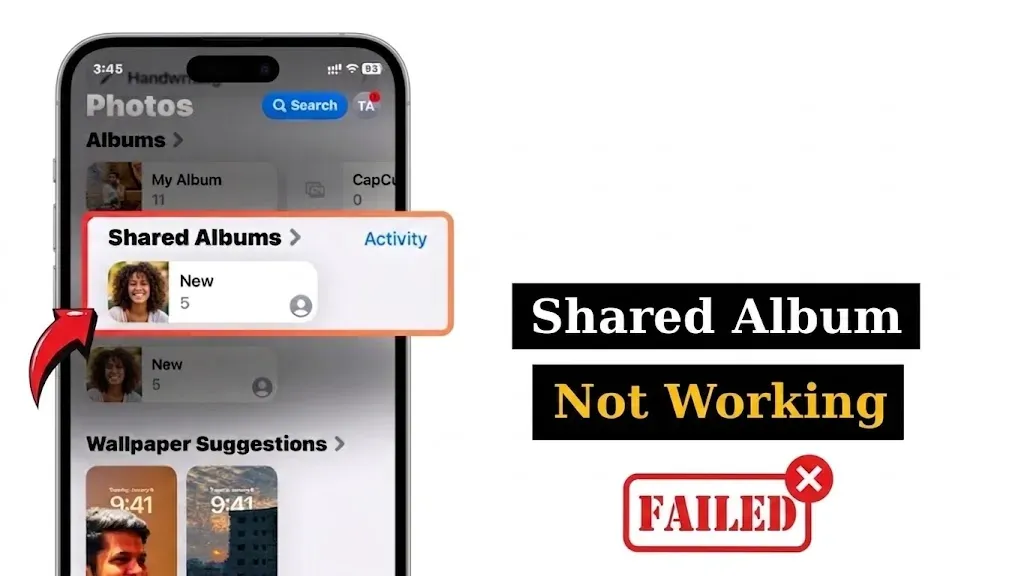
Table of Contents
- The Shared Album Promise vs. The Frustrating Reality
- The 4 Critical Reasons Traditional Shared Albums Fail
- 1. The Ecosystem Wall (iPhone vs. Android)
- 2. Account Sign-Up Friction Kills Participation
- 3. Silent Quality Loss & Timeline Scrambling
- 4. “Invisible” Invites & Lost Links
- Comparing Popular Group Photo Sharing Methods
- Is There a Free Way to Create a Shared Photo Album for a Group?
- How to Create a Group Photo Album That Actually Works
- The Modern Solution: ShareThePic in 3 Simple Steps
You just got back from a weekend trip with ten friends. Everyone took dozens of photos. You want to pool them into one master album so everyone has the memories.
So you set up a shared album, send the link out, and wait.
Three days later, you have 14 photos total. Two friends couldn’t open the link. Three Android users gave up trying to log in. And the photos that did get uploaded through group chats look pixelated and blurry because they were compressed down to thumbnail size.
Sound familiar? You aren’t alone. Traditional shared photo albums fail almost every single time (not because your friends don’t care, but because the software was built with the wrong incentives).
Here is why native shared albums break down when real groups try to use them, and what actually works instead.
The Shared Album Promise vs. The Frustrating Reality
On paper, sharing group photos should be effortless. We all carry pocket supercomputers with 48-megapixel cameras. Cloud storage is virtually infinite.
Yet in practice, gathering photos after a wedding, vacation, or birthday party feels like running a project management committee. You end up texting twelve people individually, chasing down Google Drive links, and saving low-resolution WhatsApp screenshots.
The problem isn’t user error. It’s structural friction.
The 4 Critical Reasons Traditional Shared Albums Fail
When you try to pool photos using standard apps, you run into four immediate brick walls.
1. The Ecosystem Wall (iPhone vs. Android)
The moment a group contains a mix of iOS and Android devices, native shared albums fall apart.
Apple’s iCloud Shared Albums work great if literally every single guest uses an iPhone and has iCloud enabled. But add one Android user to the trip, and everything stalls:
- Android users receive a web link that lets them view photos in a limited browser viewer.
- They cannot upload their own photos unless they log into an Apple ID.
- Photos uploaded to iCloud Shared Albums are downscaled to 2048 pixels along the long edge, stripping full resolution.
Google Photos has the opposite problem: while Android users are natively integrated, iPhone users are forced to download the Google Photos app and log into a Google Account just to add their shots to your album.
When your photo tool picks a platform war, your group album loses. For a full, ranked breakdown of every method to move photos between the two platforms, see our iPhone to Android photo sharing guide.
2. Account Sign-Up Friction Kills Participation
Every extra step you ask a guest to take reduces participation by half.
If joining your shared album requires:
- Downloading an 80MB app from the App Store or Google Play.
- Creating a new username and password.
- Verifying an email address.
- Granting blanket permission to access their entire camera roll.
…most guests will simply swipe away the notification and promise to “do it later.” (Spoiler: later never comes).
People want to share photos in the moment, in three taps or less. When a platform builds a sign-up wall, it trades your user participation for user acquisition metrics.
3. Silent Quality Loss & Timeline Scrambling
When shared albums fail, groups usually fall back on messaging apps like WhatsApp, Telegram, or iMessage.
That introduces a different disaster: compression.
WhatsApp and standard messaging channels shrink photo file sizes by up to 80% to save server bandwidth. Fine details disappear, colors get muddy, and printing the photo later becomes impossible.
Even worse, messaging apps strip EXIF metadata (the hidden digital timestamp recording when and where the photo was taken). Without EXIF data, your album cannot sort chronologically. Sunrise shots from Day 3 get mixed up with dinner photos from Day 1 because the app sorts by upload time instead of capture time.
4. “Invisible” Invites & Lost Links
Have you ever tried finding an iCloud shared album invite that someone sent you three days ago? Was it in Photos > For You? An SMS text? An email notification?
Native apps hide shared invitations inside deep navigation menus. If a guest doesn’t accept the invitation immediately, the notification vanishes into the background noise of their phone.
Comparing Popular Group Photo Sharing Methods
Let’s look at how the standard options stack up when you want to share group photos online:
| Feature | WhatsApp / iMessage | iCloud Shared Album | Google Photos | ShareThePic |
|---|---|---|---|---|
| Cross-Platform Uploads | Yes | No (View only for Android) | Requires Google App/Login | Yes (100% Web-Based) |
| No App Required for Guests | App required | App required for iOS | App/Login required | Zero App Installs |
| Preserves Original Resolution | No (Aggressive compression) | No (Resized to 2048px) | Yes (If space permits) | Yes (100% Original Size) |
| Preserves EXIF & Timestamps | No (Stripped) | Partial | Yes | Yes (Auto Timeline Sorting) |
| Bulk Download Originals | No | Difficult | Yes | Yes (1-Click Zip Download) |
Is There a Free Way to Create a Shared Photo Album for a Group?
This is the most common question organizers ask when planning an event: Is there a free way to create a shared photo album for a group without forcing everyone to download an app?
Yes, but you have to choose a tool built specifically for frictionless browser uploads.
Traditional cloud storage folders (like Dropbox or Google Drive) technically allow file uploads via web links, but their user interfaces were designed for office documents, not photo galleries. Guests struggle with folder permissions, camera roll integration, and mobile layouts.
To get full participation, you need a web-first photo album where:
- The organizer creates an album in 10 seconds.
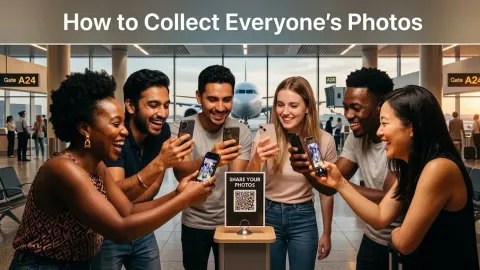
- Guests open a simple URL or scan a QR code.
- Guests select photos directly from their phone’s native picker and tap upload.
- No app download is required.
How to Create a Group Photo Album That Actually Works
If you want 100% of your group to contribute their photos after a trip or event, follow these rules:
- Eliminate App Downloads: Use a web-based link or QR code so guests on Safari, Chrome, or Samsung Internet can upload directly.
- Keep Original Quality Intact: Ensure the platform stores files at full resolution without compression.
- Preserve EXIF Timestamps: Auto-sorting by capture date ensures your trip tells a coherent chronological story.
- Provide 1-Click Zip Downloads: Make sure anyone in the group can download the entire full-res photo collection at once when the trip is over.
The Modern Solution: ShareThePic in 3 Simple Steps
ShareThePic was built from the ground up to fix everything broken about traditional group photo sharing.
Here is how simple it is to set up a group photo album online:
- Create Your Album: Head to web.sharethepic.app and start a free album in 10 seconds.
- Share the Link or QR Code: Send the unique album URL to your group chat or display the printable QR code at your event.
- Watch the Album Fill Up: Friends tap the link, select their photos directly from their mobile browser, and upload. Every photo is saved in full original resolution with EXIF metadata preserved.
No app downloads. No compressed thumbnails. No missing friends.
Whether you’re organizing a 12-person bachelorette weekend or gathering photos from a 50+ guest party, stop chasing people in group chats.
Create your free shared photo album today and collect every memory in original quality.
Frequently Asked Questions
Is there a free way to create a shared photo album for a group?
Is there a free way to create a shared photo album for a group?
Yes. ShareThePic allows you to create a free shared photo album in seconds. You can invite up to 5 members and collect up to 250 full-resolution photos without requiring guests to download an app or install software.
Why do iCloud shared albums fail for Android users?
Why do iCloud shared albums fail for Android users?
iCloud Shared Albums are built for the Apple ecosystem. Android users can only view photos via a web browser preview, but they cannot upload their own photos unless they sign into an Apple ID, creating high friction for mixed-device groups.
How can I share group photos easily without forcing guests to download an app?
How can I share group photos easily without forcing guests to download an app?
Use a web-first sharing platform like ShareThePic. Guests tap a shared link or scan a QR code to upload photos directly from Safari, Chrome, or Samsung Internet without downloading an app.
Does WhatsApp compress group photos?
Does WhatsApp compress group photos?
Yes. WhatsApp compresses images by up to 80%, lowering resolution, stripping EXIF metadata, and destroying photo quality. Photos sent in group chats also get buried under text messages.